Quick vs Full Assessment

Scaneo always runs the full external scan internally. After the scan is completed, you receive a summary by email and choose the level of detail you need.

Quick Assessment is designed for fast decision-making. Full Assessment is designed for technical remediation.

Choose the report you need

Quick Assessment

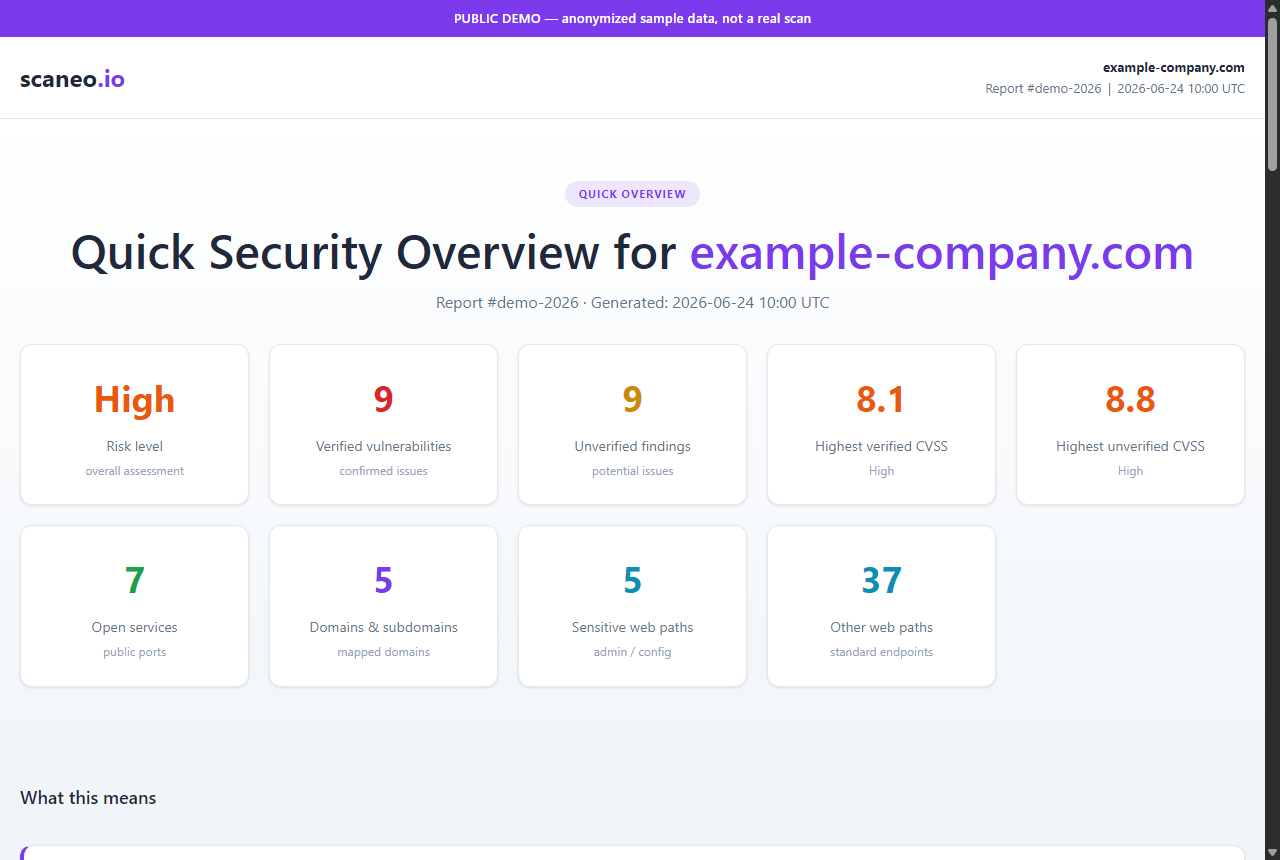
Quick Overview report preview

459 Kč

555 Kč incl. VAT

Best for managers, founders and quick decision-making.

  • Executive risk summary
  • Severity overview
  • Asset overview
  • Top 3 important findings
  • Business impact explanation
  • Recommended priorities

Does not include: exact affected assets, CVEs, exploit references, technical evidence or CSV exports.

Open Quick Overview demo
Full Assessment

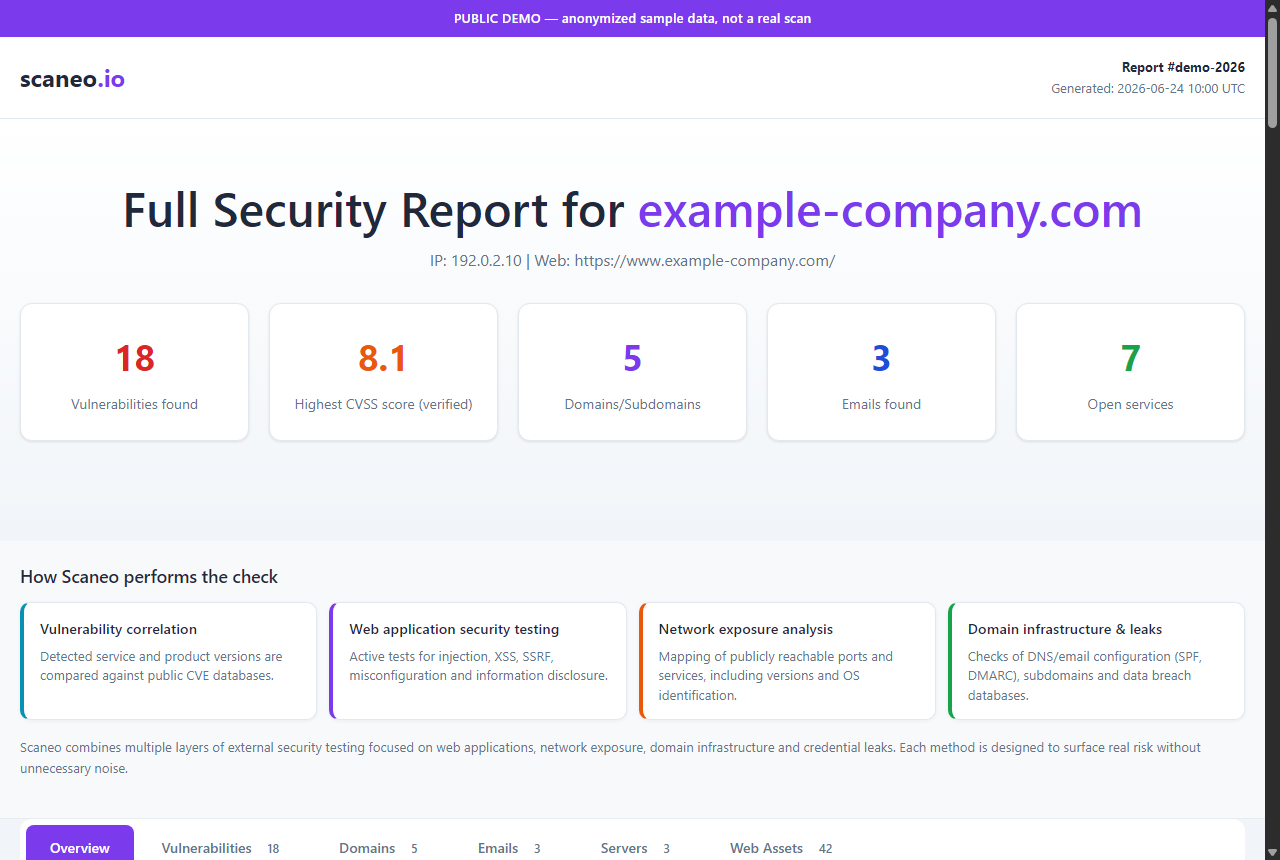
Full Report preview

7,199 Kč

8,711 Kč incl. VAT

Best for IT teams, developers and remediation work.

  • Everything in Quick Assessment
  • All findings
  • Exact affected assets
  • Technical evidence
  • CVSS scores and CVE references
  • Public advisory/exploit references where available
  • Remediation guidance
  • AI remediation prompts and standalone AI remediation plan (.md)
  • CSV exports
Open Full Report demo

AI prompts do not replace expert review. Some findings require human judgement, environment knowledge, or administrator action.

Which report is right for you?

  • Founder / CEOQuick Assessment
  • ManagerQuick Assessment
  • Small business ownerQuick Assessment
  • Web agency ownerQuick Assessment
  • Developer fixing issuesFull Assessment
  • Internal IT teamFull Assessment
  • External administratorFull Assessment
  • Security consultantFull Assessment
MD ai-remediation-plan.md

What it is

The Full Report can include a standalone Markdown file with AI remediation prompts. These prompts help developers, administrators or AI tools understand the issue, prepare a safe remediation plan, checklist, rollback and validation steps.

Why it's useful

This is not automatic fixing. AI suggestions must always be reviewed and tested before being applied to a production environment.

CSV vulnerabilities.csv

What it is

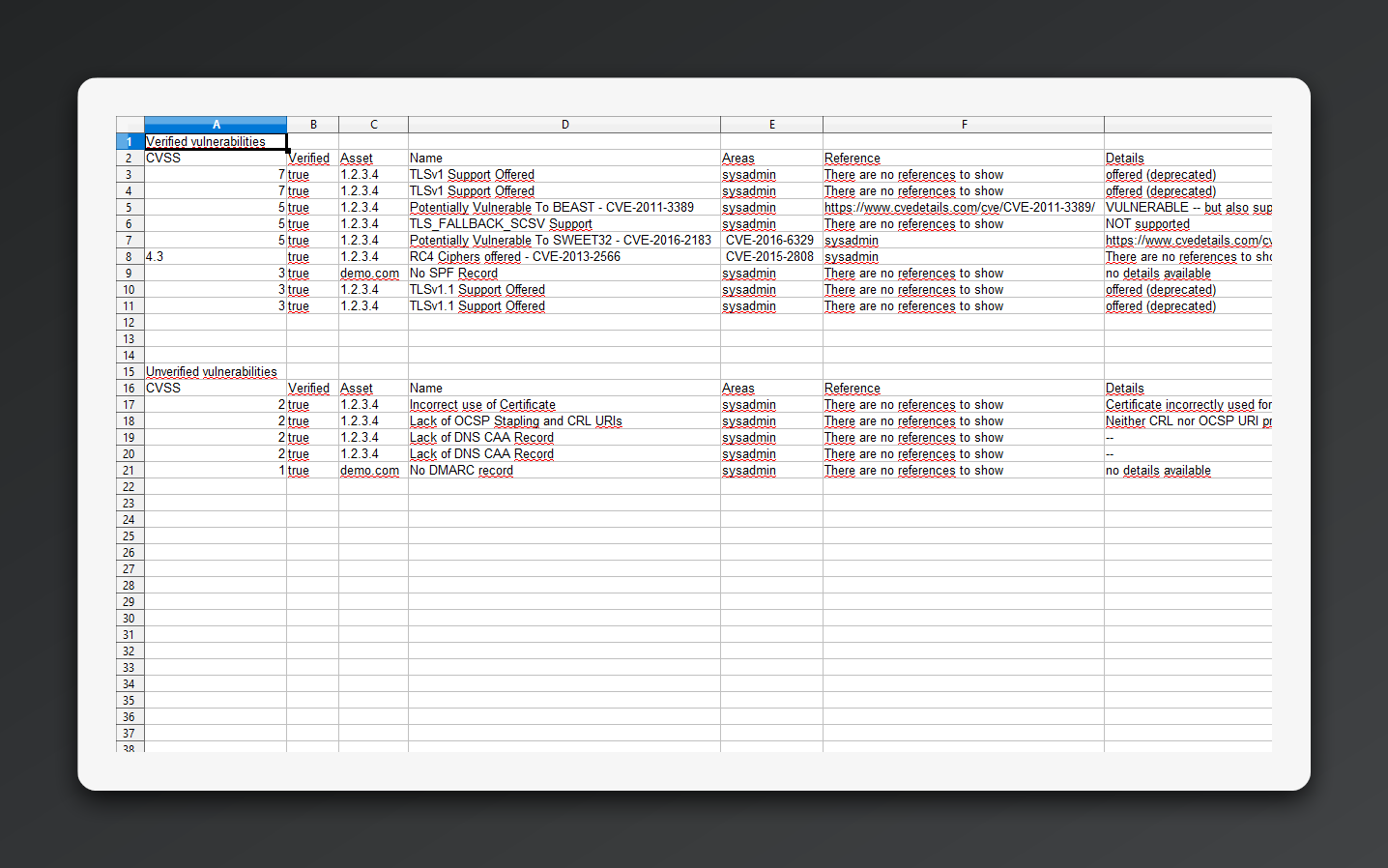
The core technical findings file. It lists detected vulnerabilities, severity ratings, affected assets, evidence, references and remediation guidance.

How to read it

This is usually the most important file for your IT team. Findings are prioritized by CVSS score and severity so the highest-risk issues can be reviewed first.

The list distinguishes between confirmed and unconfirmed findings. Confirmed findings have stronger evidence. Unconfirmed findings may require verification in your environment before remediation.

Each entry may include the affected asset, category, description, backend/frontend/server location, inputs and outputs, scanner evidence, CVE references, public advisory links and remediation guidance.

Preview & download Download sample CSV
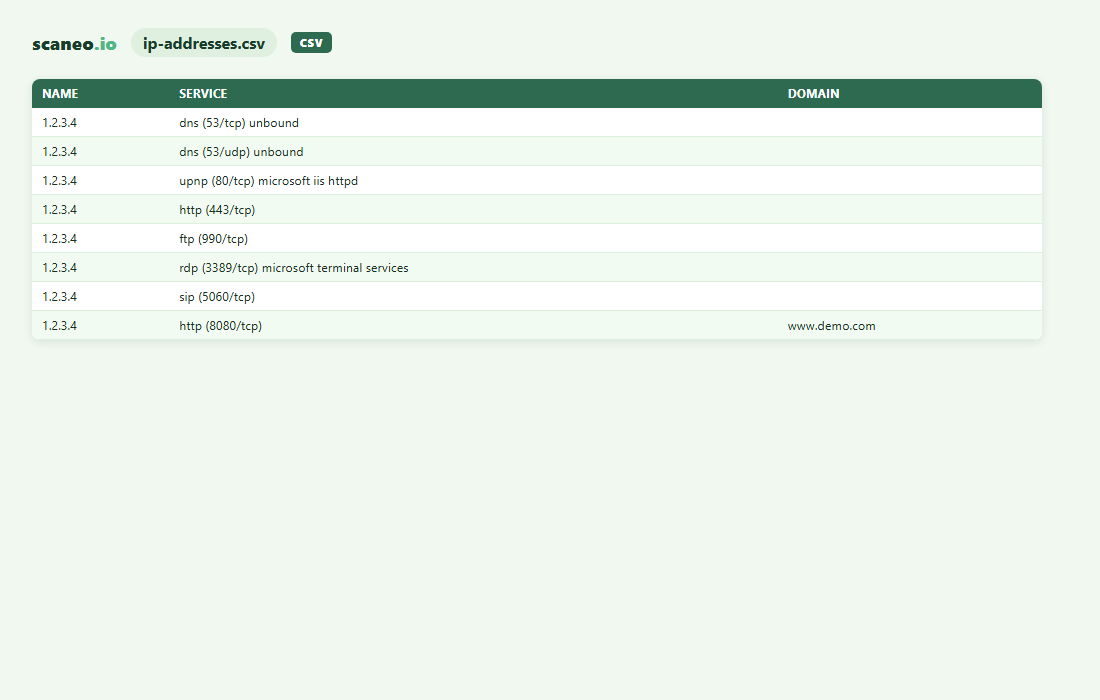
CSV ip-addresses.csv

What it is

A list of public IP addresses, open services, exposed ports and detected software versions associated with the assessed domain or infrastructure.

Why it's useful

This helps identify services that are reachable from the Internet, including remote access, databases, management panels or outdated software that may need to be restricted, updated or monitored.

Preview & download Download sample CSV
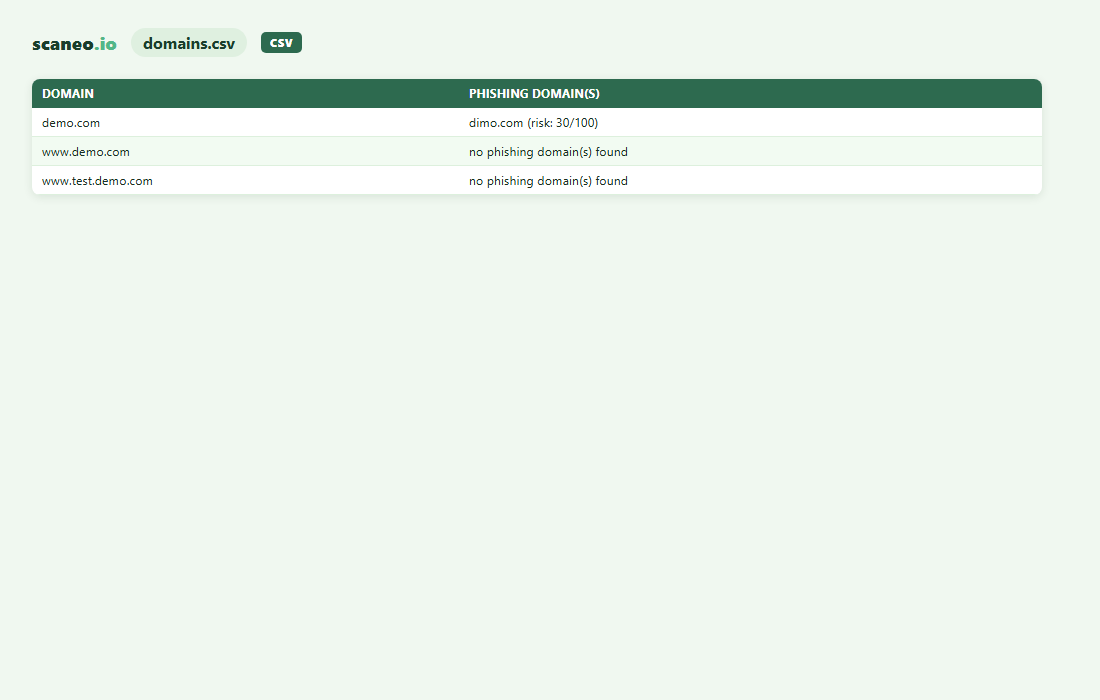
CSV domains.csv

What it is

A list of domains, subdomains and related domain intelligence discovered during the assessment, including possible phishing-like domains and exposure risks.

Why it's useful

This helps you understand your external domain footprint, discover forgotten subdomains, identify takeover risks and detect domains that may be used for impersonation or phishing.

Preview & download Download sample CSV
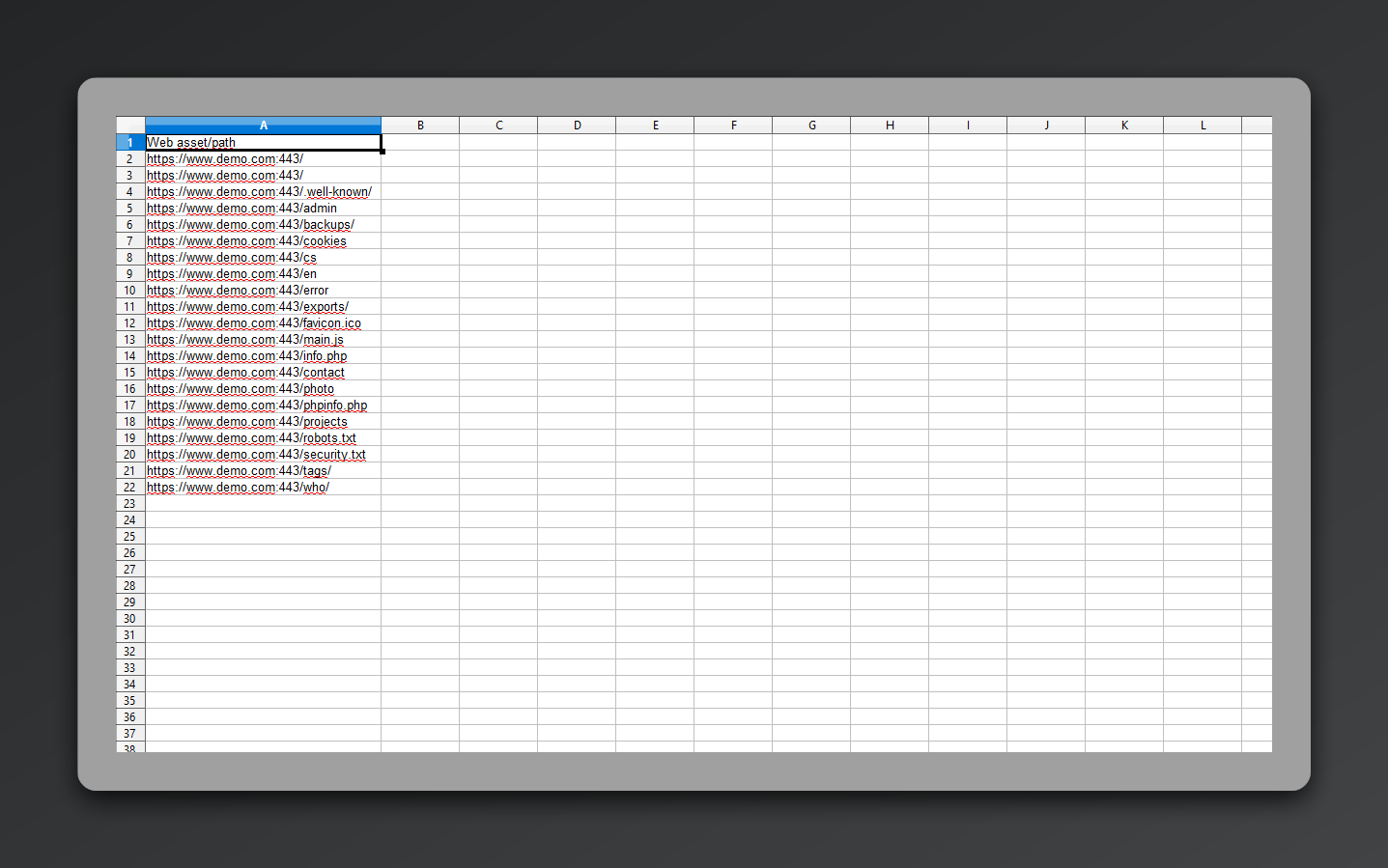
CSV webs.csv

What it is

A list of discovered web assets, URLs and publicly reachable paths identified during the assessment.

Why it's useful

This helps uncover forgotten pages, exposed directories, staging environments, backups or other web assets that may not be linked from your main website but are still reachable from the Internet.

Preview & download Download sample CSV
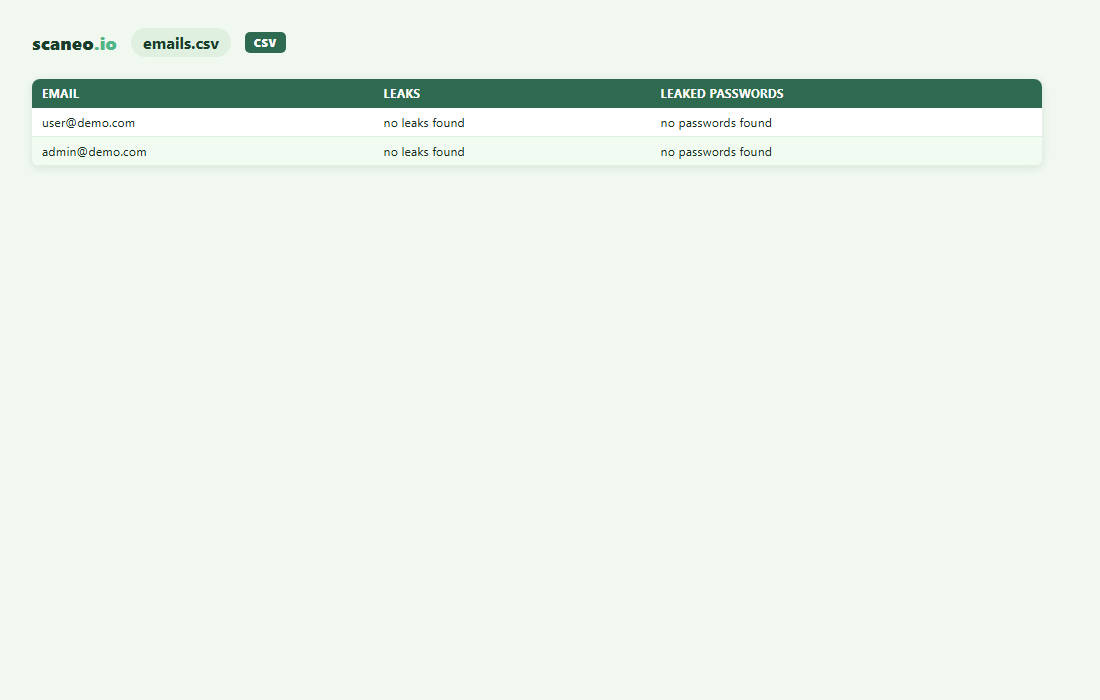
CSV emails.csv

What it is

A list of email addresses and email-related exposure associated with the assessed domain.

Why it's useful

This helps identify publicly exposed email addresses, potential phishing targets and addresses that may appear in known compromised-data sources.

Preview & download Download sample CSV

Ready to see what attackers can find?

Request the assessment for free. After the scan is complete, choose Quick Assessment for 459 Kč (555 Kč incl. VAT) or Full Assessment for 7,199 Kč (8,711 Kč incl. VAT).

Request security assessment